

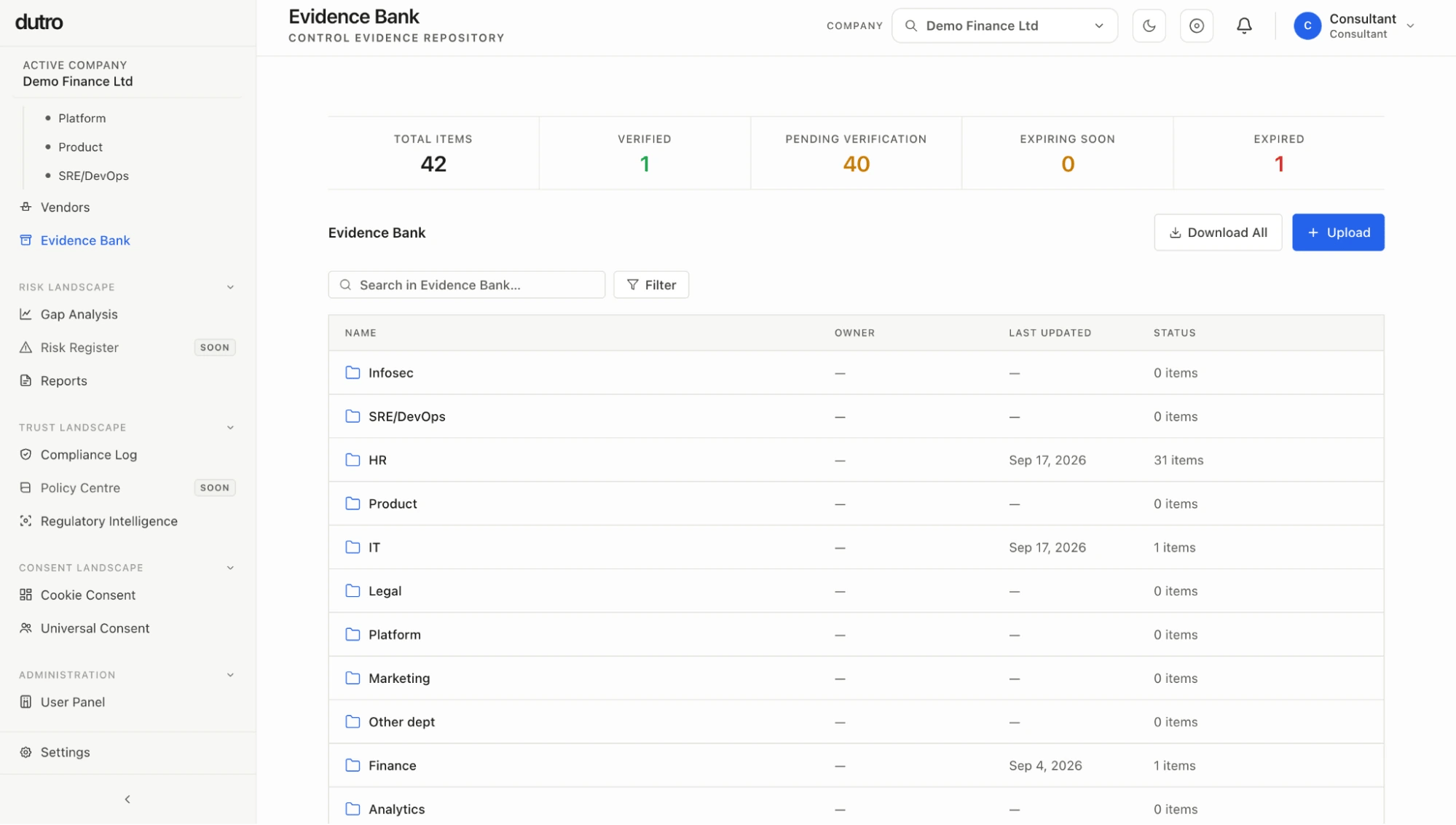
Evidence Bank with department folders and verification metrics
Upload evidence
Click Upload to open the Upload Evidence drawer.1
Select the owning department
2
Give the evidence a clear title
3
Add the file or link
Upload a local file of up to 500 MB, or paste an external cloud document link.
4
Set the classification and expiry
Let the system auto-detect the evidence classification, and optionally set an expiry date to automate renewal tracking.
5
Submit
The file is routed into the corresponding department folder with a Pending Verification status until your privacy lead reviews and confirms it.
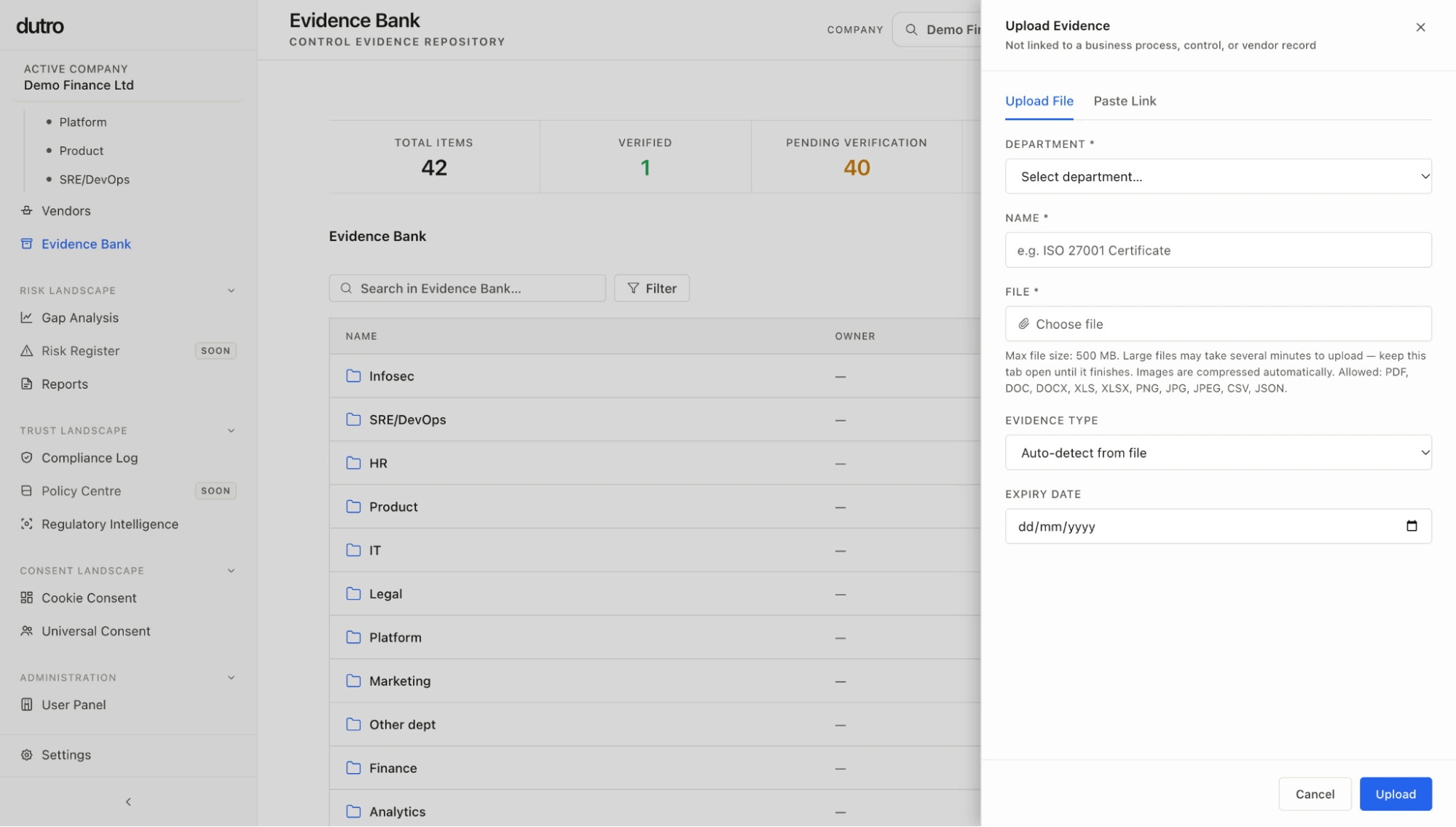
Upload Evidence drawer