

Details
The Details tab captures the baseline operational scope of the business process. Fields include Business Process Name, Owner, Description, Data Subjects volume band, and the AI Usage toggle indicating whether artificial intelligence or automated decision-making is employed in this activity.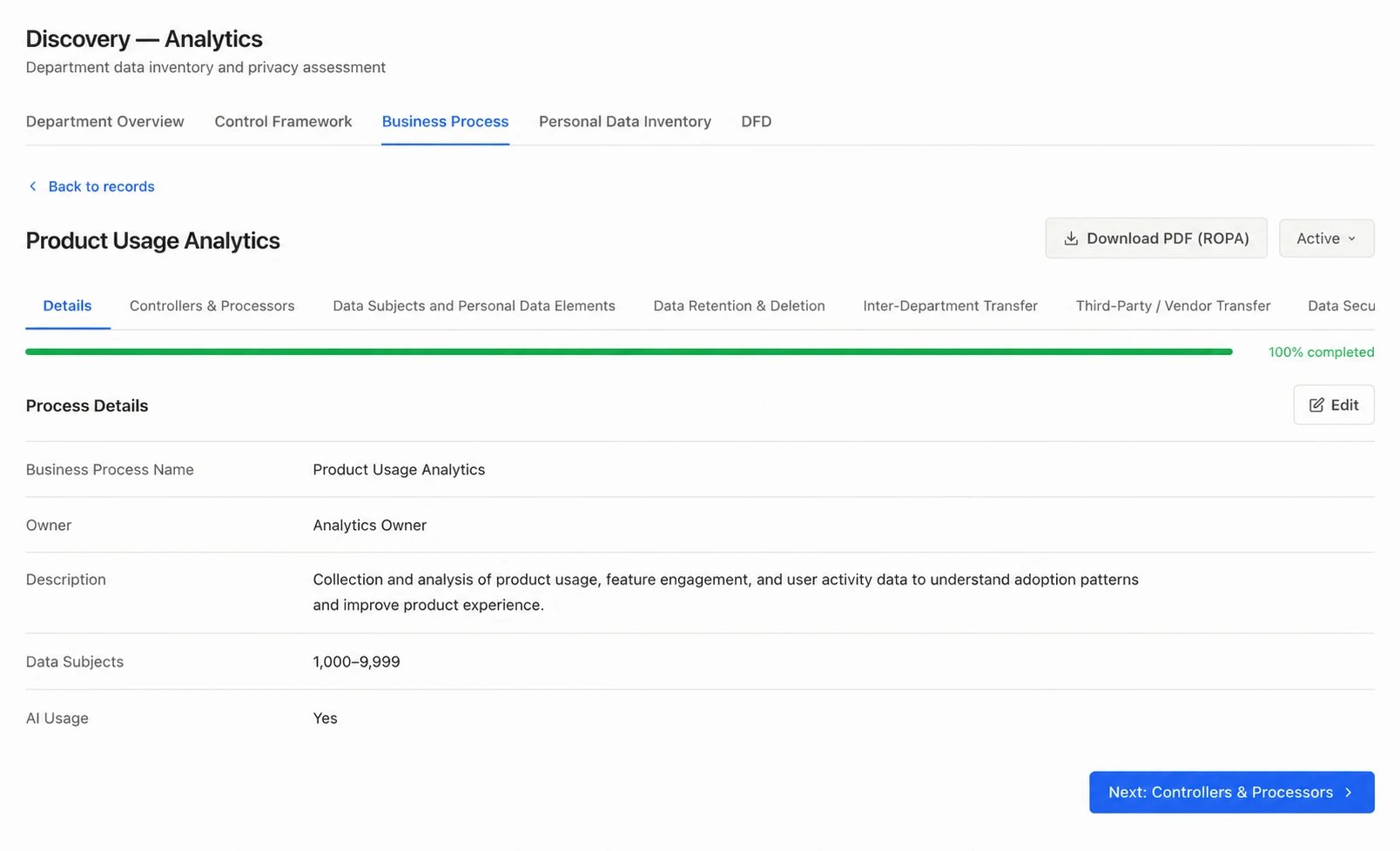
Tab 1: Details
Controllers & Processors
The Controllers & Processors tab defines the statutory legal scope governing this processing activity. You select Applicable Laws and associate participating Legal Entities along with their statutory role.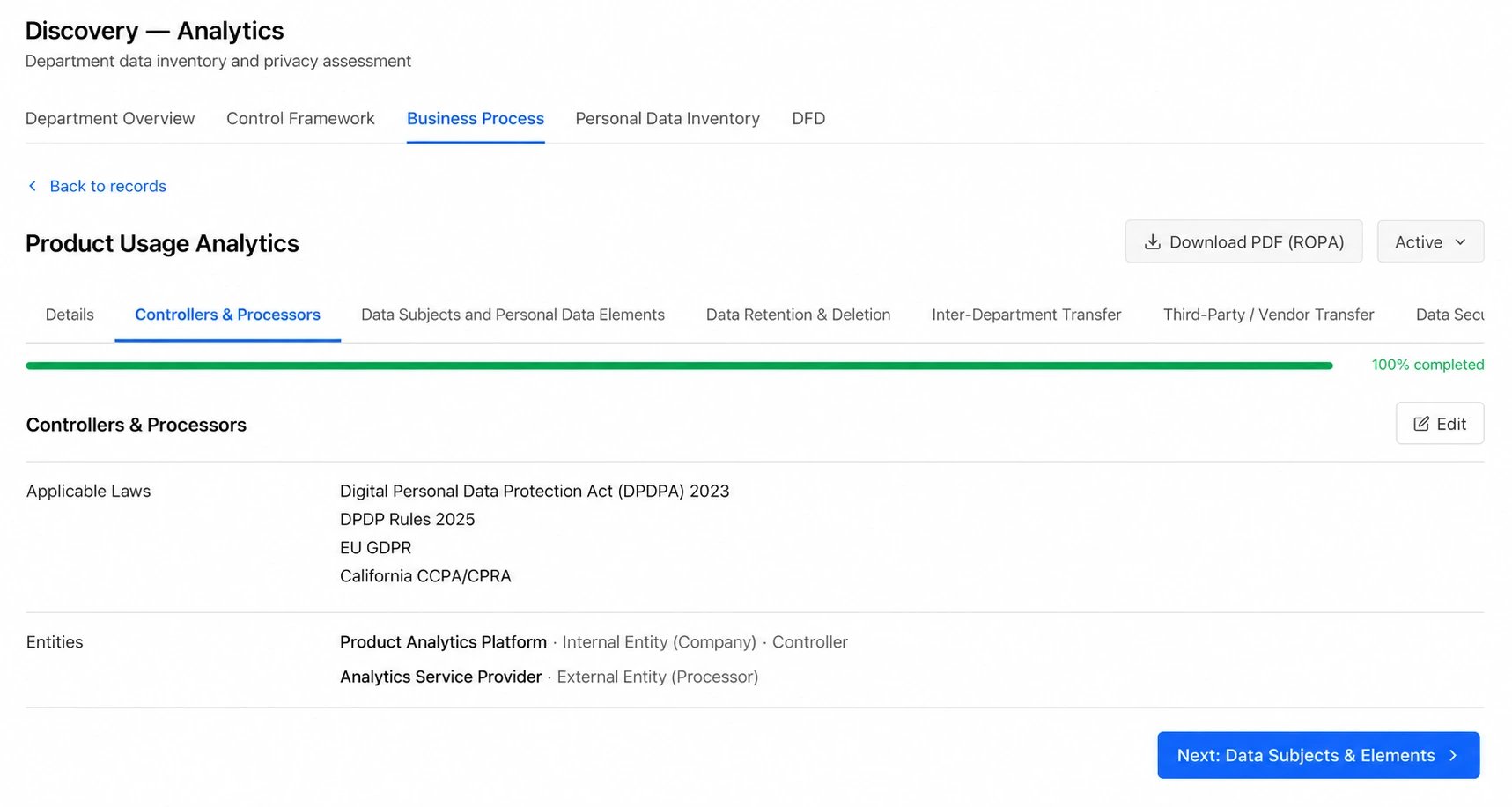
Tab 2: Controllers & Processors
Data Subjects and Personal Data Elements
The Data Subjects and Personal Data Elements tab establishes the granular personal data inventory for the process. Fields include:- Data Subject Categories (for example Employees, Customers, Vendors)
- Data Categories (Identification, Contact, Employment, Financial)
- Personal Data Elements (Full Name, Date of Birth, Age, Nationality, Government IDs such as Aadhaar and PAN)
- Purpose of Processing
- Sources of Personal Data
- Collection Modes
- Legal Basis, selected from the pre-populated statutory library
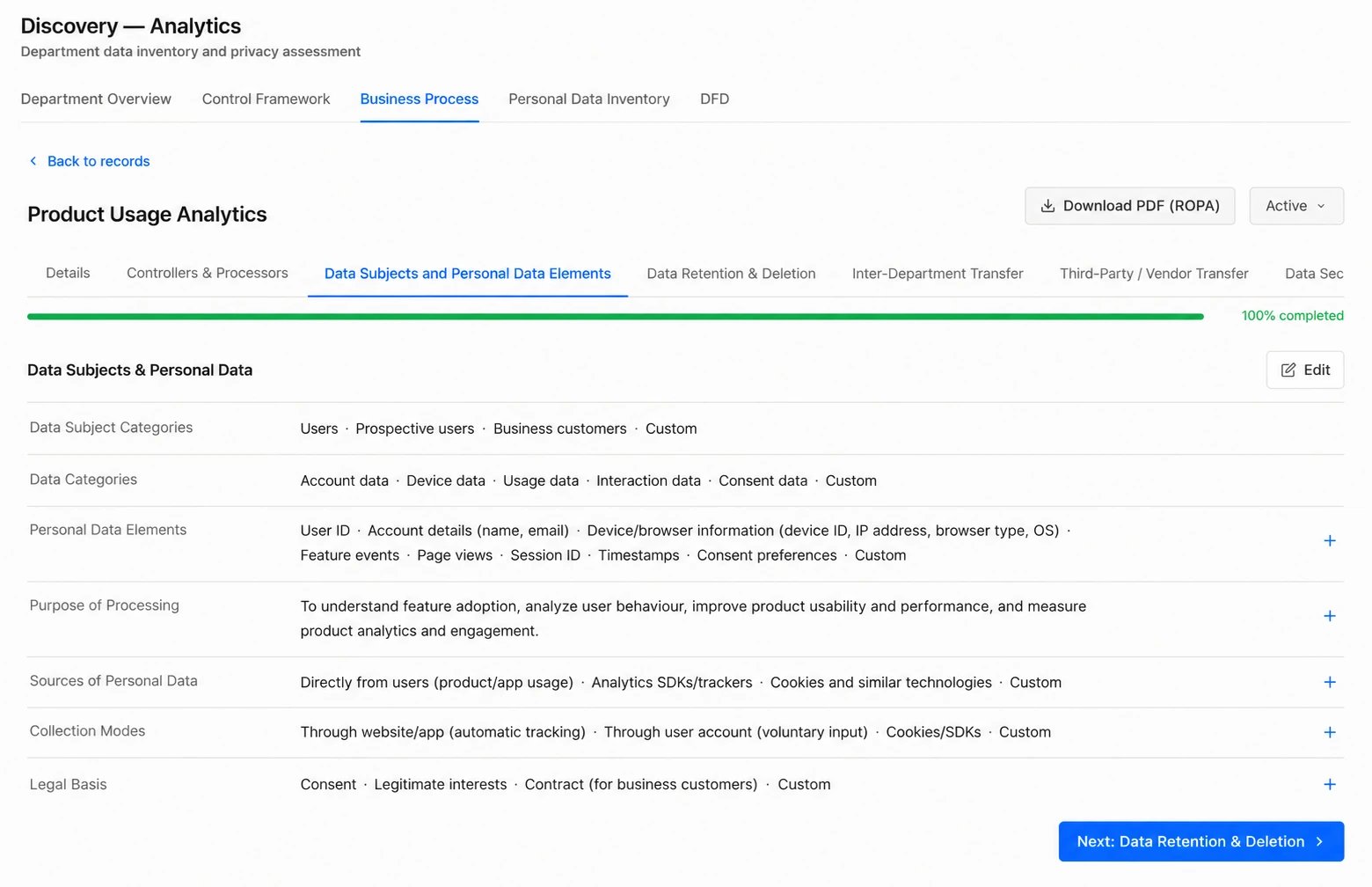
Tab 3: Data Subjects and Personal Data Elements
Data Retention & Deletion
The Data Retention & Deletion tab governs storage architecture and data lifecycle timelines. Click + Add storage location to define multiple storage endpoints. For each endpoint, you specify the Data Elements stored, Retention Period, Deletes After Retention toggle, and deletion mechanisms.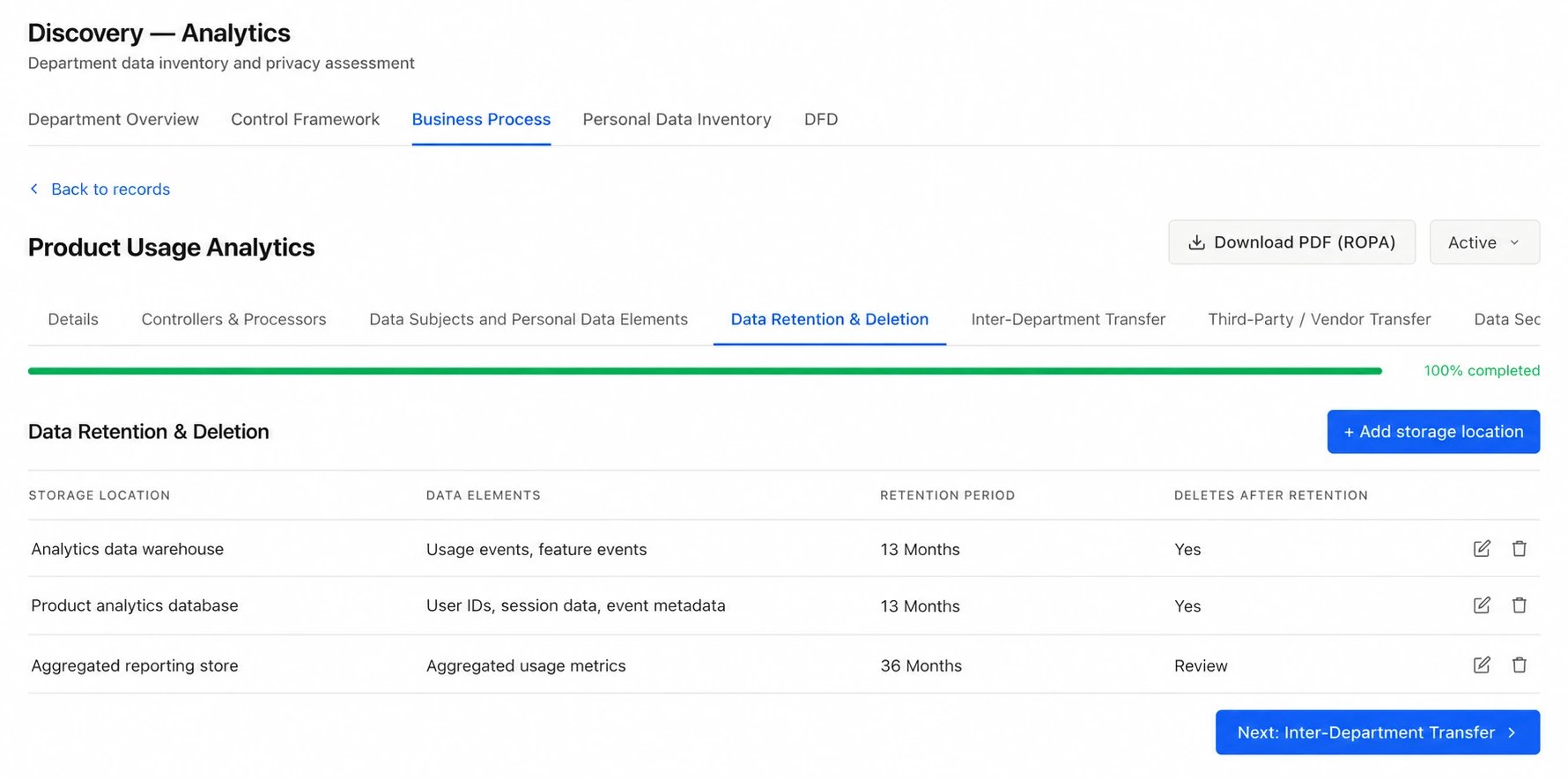
Tab 4: Data Retention & Deletion
Inter-Department Transfer
The Inter-Department Transfer tab tracks personal data moving between internal functional units. Configuration options include the Enabled toggle, Receiving Departments, Transfer Purpose, Transfer Mechanisms, Transfer Frequency, and a Cross-Border toggle to identify transfers where departmental staff reside in different sovereign territories.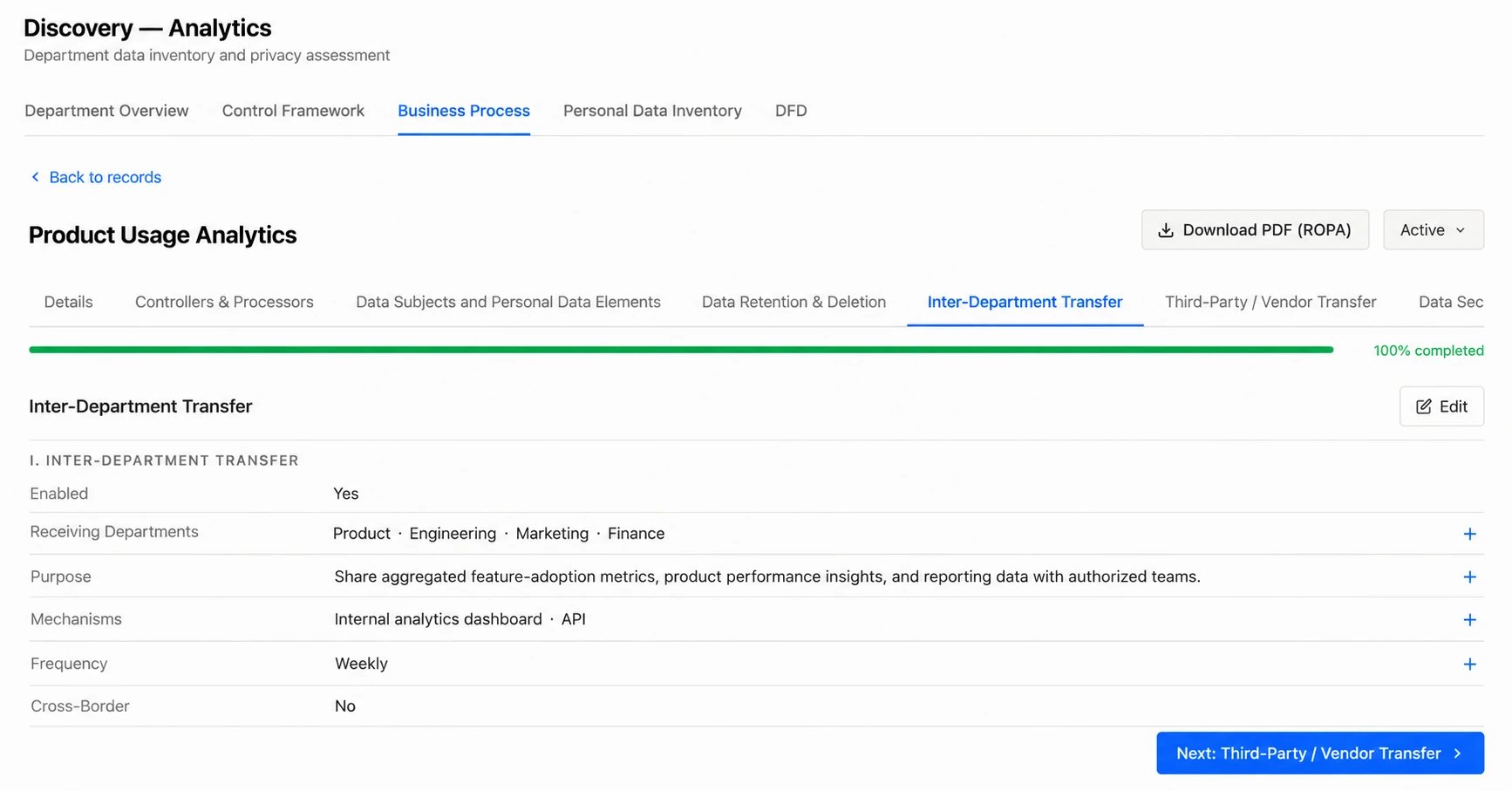
Tab 5: Inter-Department Transfer
Third-Party / Vendor Transfer
The Third-Party / Vendor Transfer tab tracks data shared with external processors and service providers. Configuration options include the Enabled toggle, Selected Vendors (selected from the central Vendor repository with their processor role), Transferred Data Elements, and a Cross-Border Transfer toggle specifying the Destination Country and legal safeguards (such as Standard Contractual Clauses or adequacy decisions).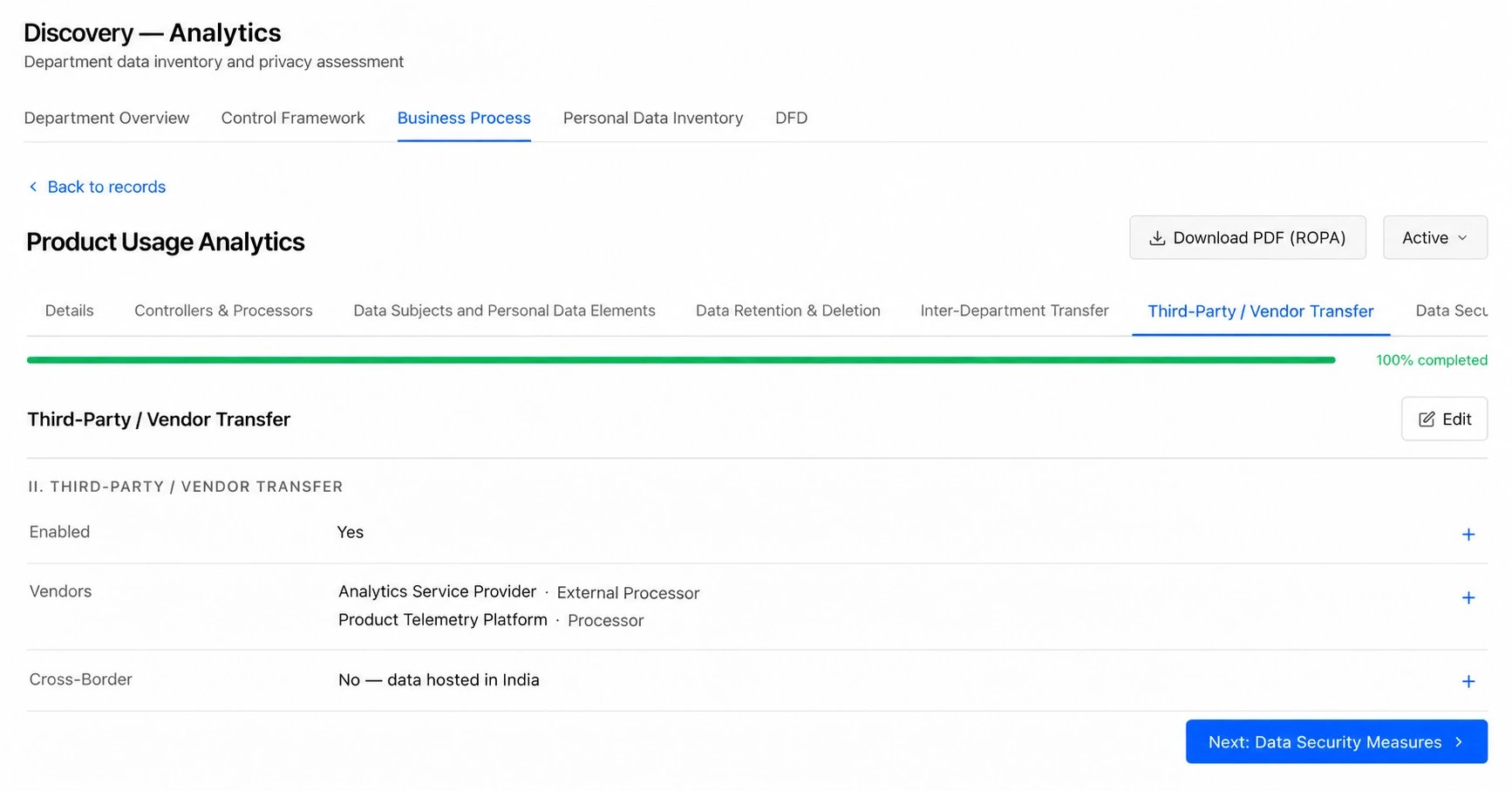
Tab 6: Third-Party / Vendor Transfer
Data Security Measures
The Data Security Measures tab documents technical and organizational safeguards protecting personal data throughout the process lifecycle. Configurable controls include Encryption at Rest, Encryption in Transit, Training & Awareness protocols, Policies in Place, Access Governance, and Vendor Security Management.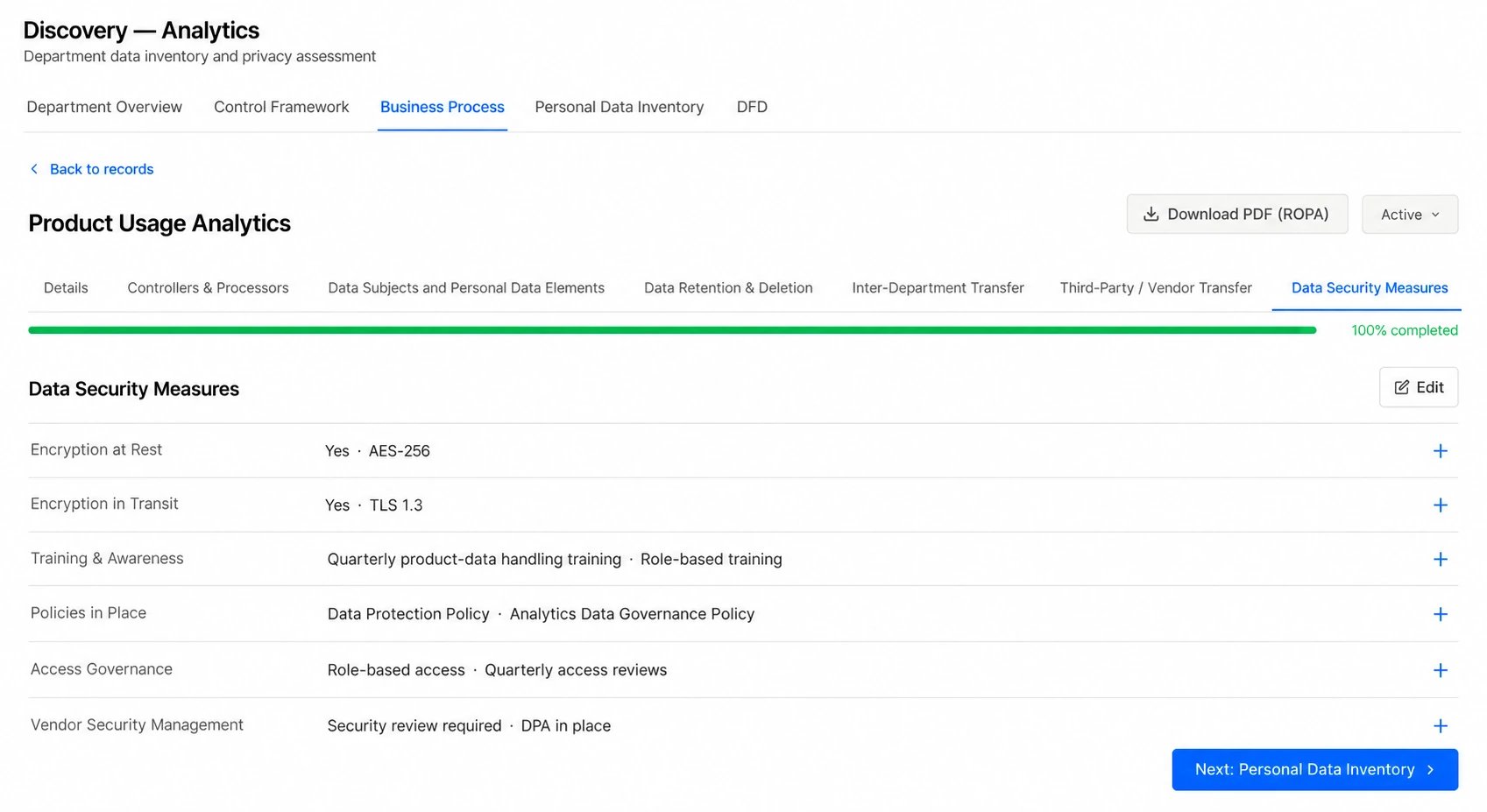
Tab 7: Data Security Measures
Personal Data Inventory
The Personal Data Inventory tab provides a flattened registry connecting each specific data element to its processing activity, purpose, legal basis, and storage location, serving as the operational foundation for DSAR fulfillment and consent management.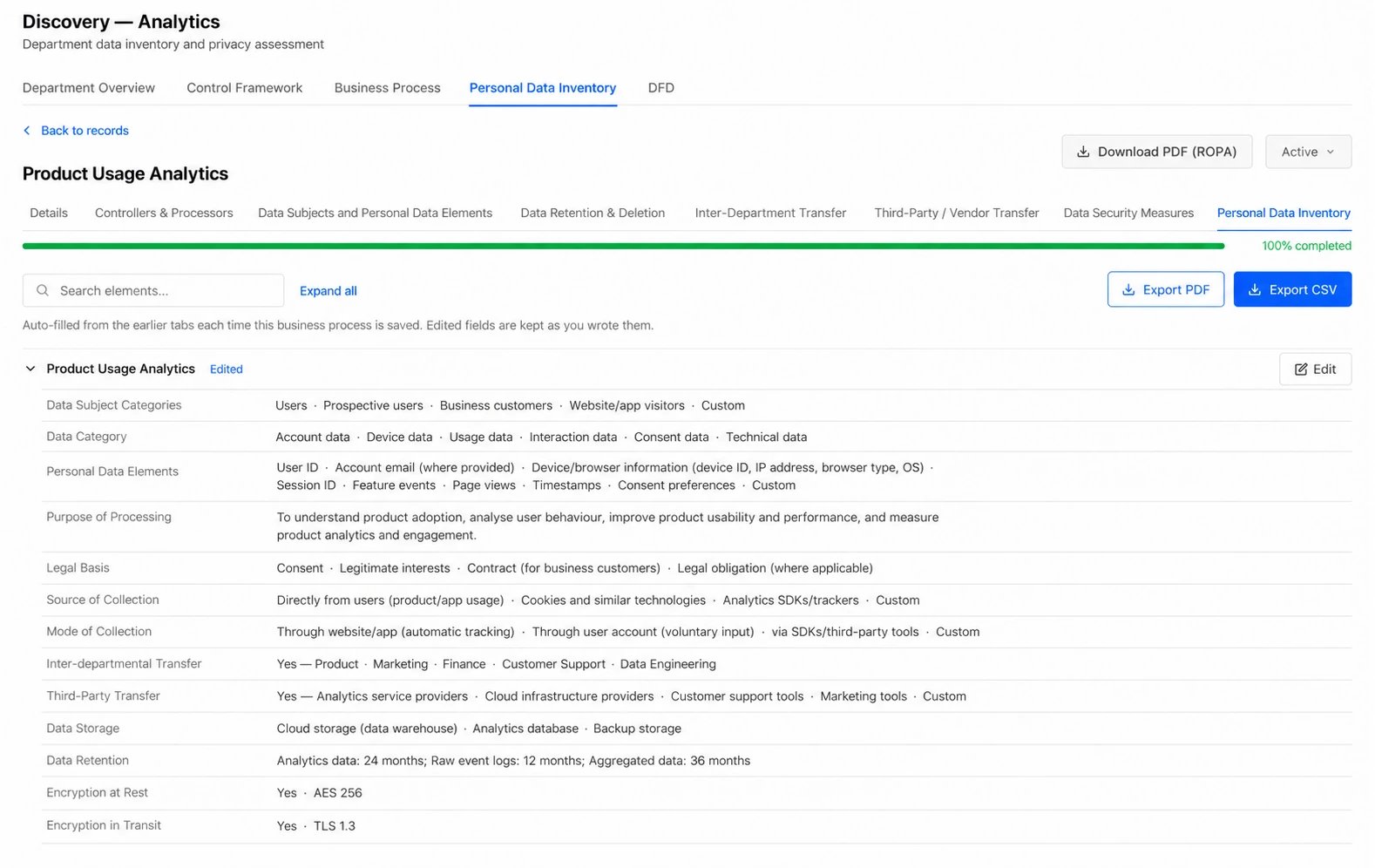
Tab 8: Personal Data Inventory